Even distant relatives,
kept in touch.

You don't reach out often, but you want to be ready when it matters.
Keep those contacts organized in one place.

Especially useful if you've started a family through marriage, if marriage has widened your circle of relatives, or if you've become the one organizing a wedding or a funeral. For return gifts, condolence gifts, or building an accurate guest list for distant relatives — this app has you covered.

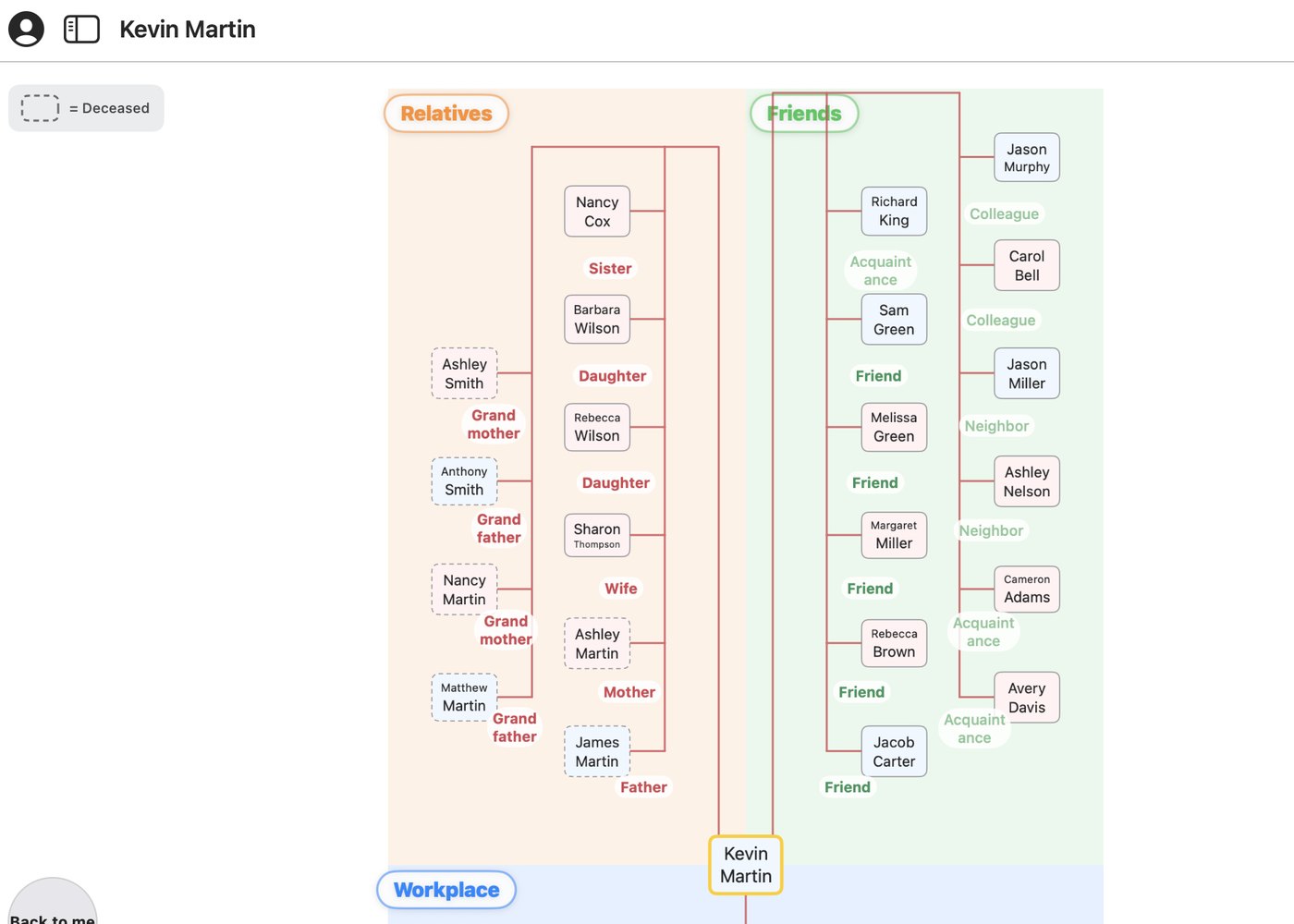
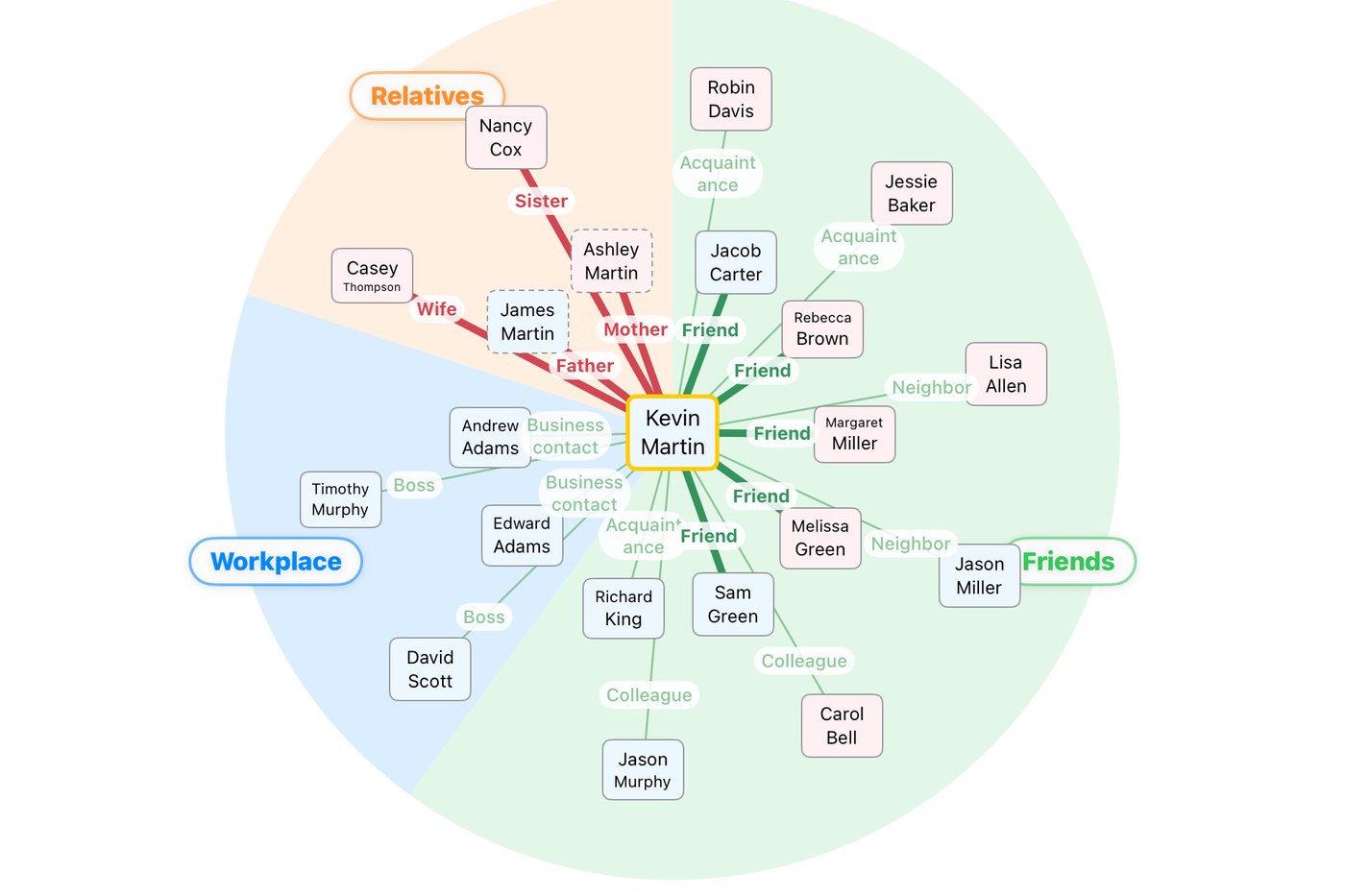
The relationship map: Father, Mother, Wife, Daughter, Sister, Grandfather, Friend and Cousin radiating from one person

FEATURES

What it does

Every tap grows the circle a little further.

🕸️

See the connections

Pick who is whose what, and the relationships fan out around that person — the way a cast chart does.

🌳

A family tree that builds itself

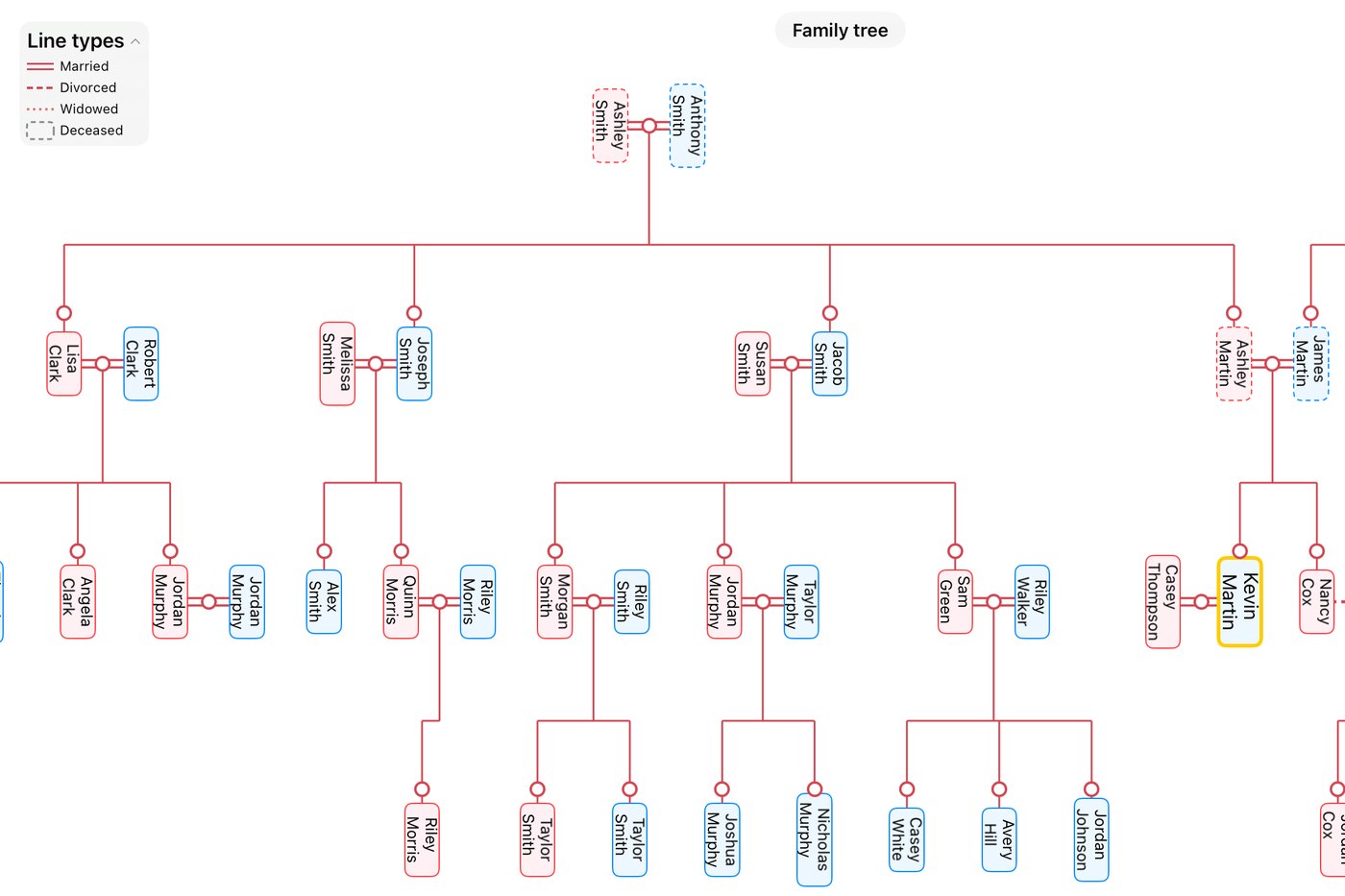
Add parents, children and spouses, and the tree assembles on its own. Siblings fall into birth order automatically.

📷

Albums that remember

Keep photos with the date they were taken. Each one shows how old the person was, and the whole album exports as a PDF.

🔔

Never miss the day

Birthdays, anniversaries and memorial days are announced before they arrive, so they don't slip past.

📄

Guest lists made easy

Select the people you need and export them to CSV or PDF — useful for weddings and gatherings. Maps and trees export too.

📇

Quick to fill in

Type it in, scan a business card with the camera, or bring people over from the contacts already on your phone.

📤

Share with people nearby

Select a family or group and hand it over with AirDrop — it saves the person receiving it from typing everything in by hand.

SHARE

Share your whole family, in one tap.

Contacts, relationships, and photo albums — pick what to send and hand it over with AirDrop. It saves the person receiving it from typing everything in by hand.

For example: pick a whole family at once

In the relationship map or family tree, tap the people you want to send. Here, a couple and their two children — four people in all — are selected together, with "Father / Mother / Second son / Eldest son" still attached. The person receiving it doesn't have to add each one by one — the whole family structure comes across as-is.

Family tree with four family members tapped and selected, showing '4 people selected'

Just pick what to send

Names, of course — plus phone numbers, photo albums, and relationships, if you choose. Notes and your closeness rating are never sent.

The share screen, with toggles for phone number, photo album, and relationships

Handed off with standard AirDrop

The file goes out through the AirDrop you already know, on Mac or iPhone. No extra setup.

The standard share sheet, with AirDrop listed as the first option

Easy to add on the other end

When someone receives it, the names and details are already filled in, saving them from retyping everything by hand. Whether it matches someone already in their list is something they decide later, in their own time — nothing gets overwritten automatically.

The receiving screen, showing 181 contacts arrived along with what to import

iPhone · iPad · Mac

The same circle, on every device.

Everything syncs automatically through iCloud, so it works the same on your iPhone and your iPad.

Room to breathe on iPad

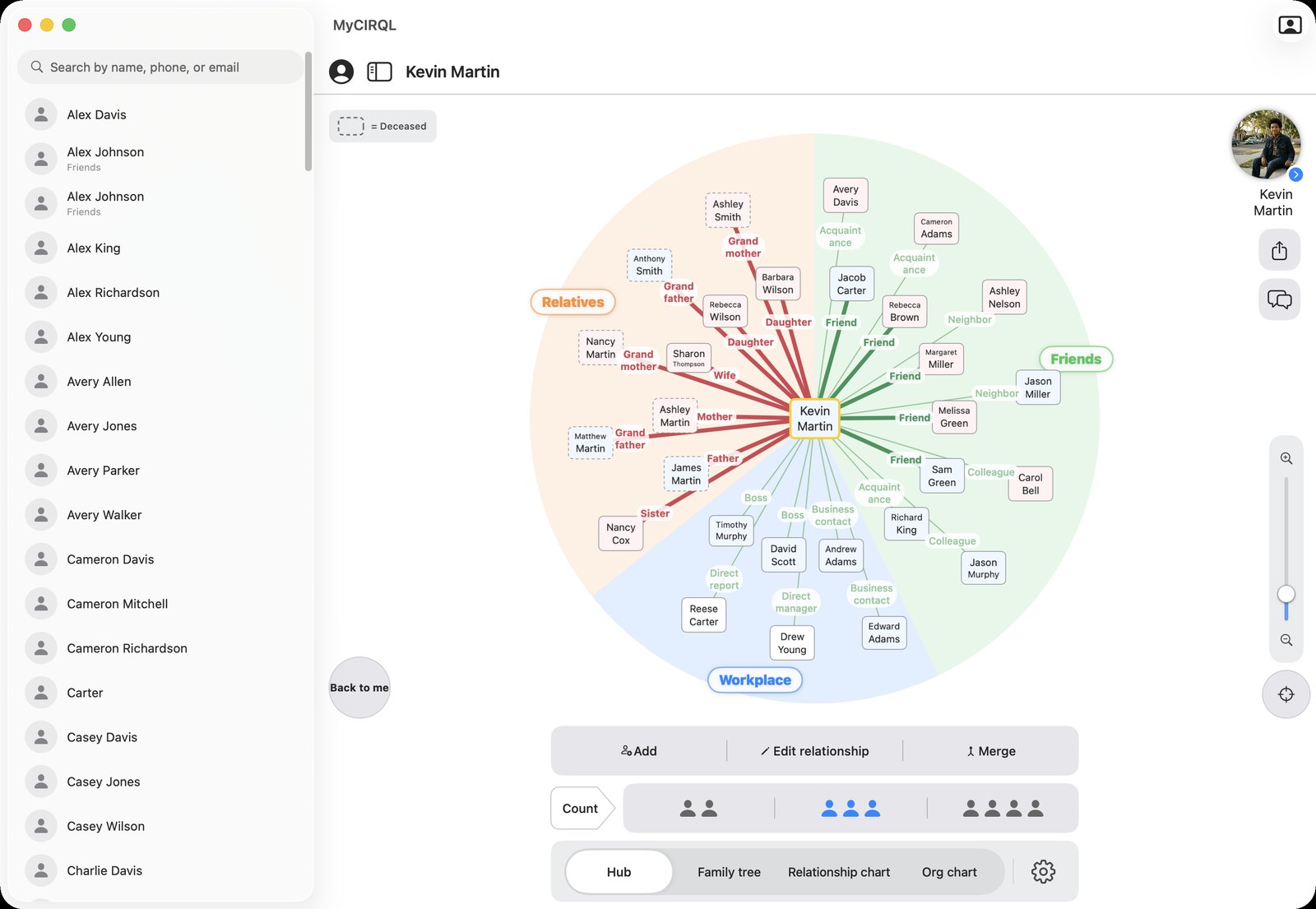
The relationship map spreads across the whole screen. From the person in the middle, named lines reach out to parents, spouse, friends and cousins.

The relationship map on iPad, with many named connections radiating from the person in the centre

See the whole family tree

A vertical, Japanese-style family tree. On iPad you can take in several generations at once.

The family tree on iPad, several generations stacked vertically

FOR MAC

The same circle, on your Mac.

AVAILABLE NOW

The wider screen puts the list, the map and the profile side by side. It is faster to type on, and easier when you are organising a lot of people at once. Everything stays in sync with your iPhone and iPad through iCloud.

See it on the Mac App Store

Already bought it on iPhone? The Mac version is included at no extra cost.

Your information never leaves.

Everything you enter is stored on your own device and in your own iCloud — a private area only you can reach. There is no social feed, and the developer has no way to see any of it.

The one exception: when you look up an address by postal code, that postal code is sent to an external address service. Nothing else is ever sent outside.

Who it is for

Questions


Is it free?

Adding people and building your map and tree is free. A one-time Premium unlock (about US$3.99) adds CSV and PDF export, contacting people from the app, and saving diagrams as images. It is a single purchase, not a subscription.

Where is my data kept?

On your device and in your own iCloud. The developer cannot see it. See the privacy policy for the details.

Can I see the same data on my iPad and Mac?

Yes. Sign in with the same Apple Account and everything appears on each device through iCloud.

What happens when I get a new phone?

Your data is in iCloud, so signing in on the new device brings it all across.

Can I keep other people from reading it?

Yes. You can require Face ID, Touch ID or a passcode when the app opens. There is also a mode that hides real names while you show the screen to someone.

Keep the people who matter
close at hand.

Download on the App Store